Finding things on the DC.gov website is not for the faint-hearted. The site is a warren of dead ends, blind alleys, and old stuff. Over time, I’ve found some ways to dig into the site and come up with a few answers. Here are some that I hope can help your search. It’s current as of October 16, 2026. _________________________________________________________________________________________________________
Google Site Search. If you use DC.gov’s search engine, you may find what you want. However, I’ve found that using Google Site Search is more direct. GSS lets you use Google on a specific site.
Here’s an example of finding the latest version of the DC Income Tax Filing Form D-40. Type D-40 into the DC.gov homepage search box; you’ll get this:
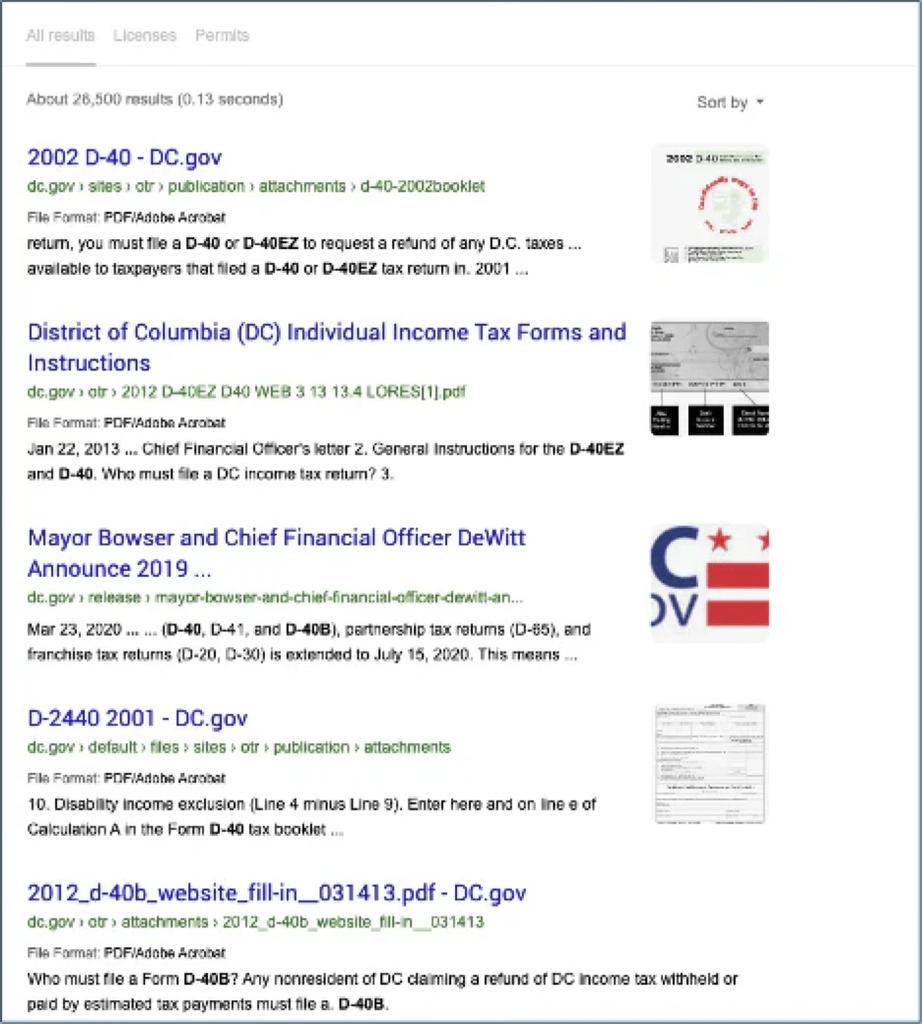
Sorting by date is not much better. A GSS makes it easier:
In Google, type: D-40 site:DC.gov, you’ll get this:
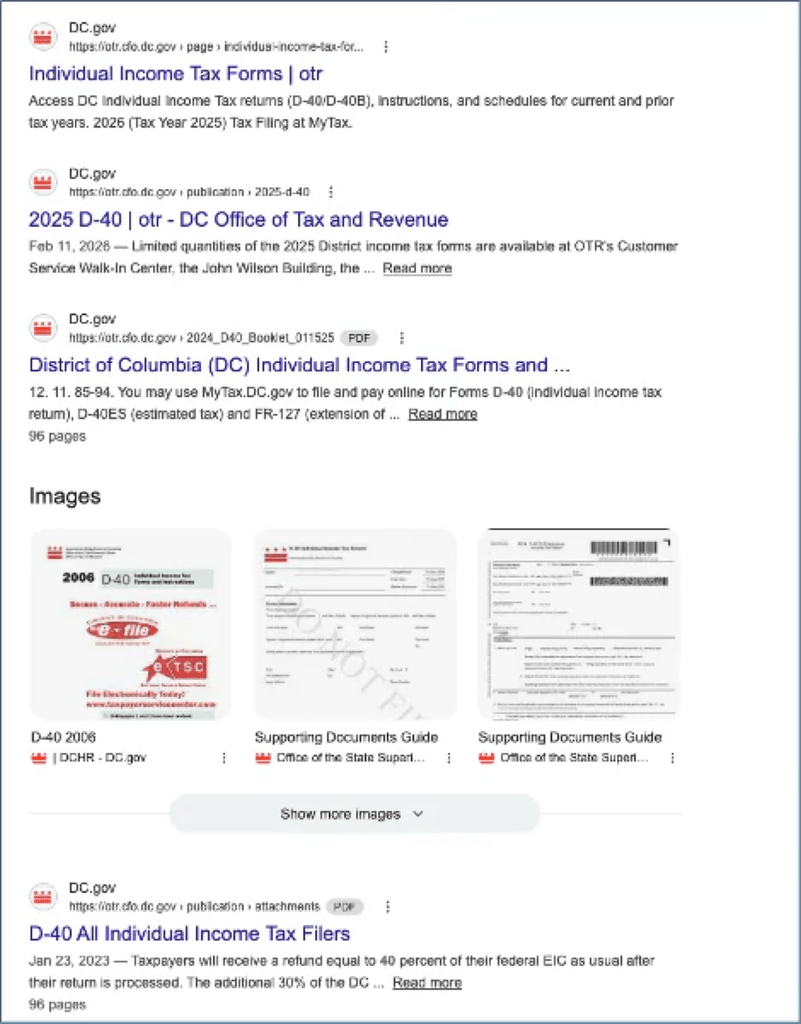
With Google’s engine, you can, for example, click Tools and limit your search to one year or use Advanced Search. Want to find a phrase or name? Put it in quotes.
One thing you can do with GSS is see everything that’s on a website. For example, here’s all that’s on the Council’s site. If you wanted to know everything that’s been put up on DC.gov in the last 24 hours, in Google type site:dc.gov and use Google’s tools to look at the past 24 hours.
___________________________________
Here are some more specific terms and links:
Beta DC.gov. DC.gov has an incredible array of resources covering hundreds of governmental subjects, programs, and rules. However, it’s not so much a guide to using city resources as an umbrella hiding fiefdoms, blind alleys, third-party apps, and forgotten forms.
The Bowser administration has recognized the many shortcomings of the site and is testing a new version, beta.DC.gov. I’ve tried it a couple of times with mixed results. I’m afraid it’s not a reworking of DC.gov so much as just a new front end on the old mess. For example, even though it lists DCDot as an agency my search for bike or bike lanes got no result. I’ll say this for the test site: when you reach a dead end, it asks for your comment. That’s certainly more than you get now. You can sign up for progress reports, but so far nothing’s happened.
Buildings. If you want to find DC buildings and other facilities, you’re almost in luck. The Open Data DC system has a map-based tool for just that. You can hone in on the map. It won’t tell you which agency owns the building, or its address or use, but it will give you its square and lot, which you can look up here, which allows you to search by neighborhood as well as by address. Sadly, there is no way to say find all DC public libraries or pools without searching their agencies. You can use Google Maps to find them. Perhaps day DC.gov will too.
Budget Tutorial. Trying to figure out the DC Budget? The Council’s Budget Office has a tutorial for you.
Contracts. The Office of Contracting and Procurement has a portal where you can search for contracts. You don’t have to fill in all the fields. For example, to find those in FY26, click Fiscal Year and click it. You’ll get a whole bunch. You can download what you find. You’ll also find a lot of omissions and typos. Oh, well.
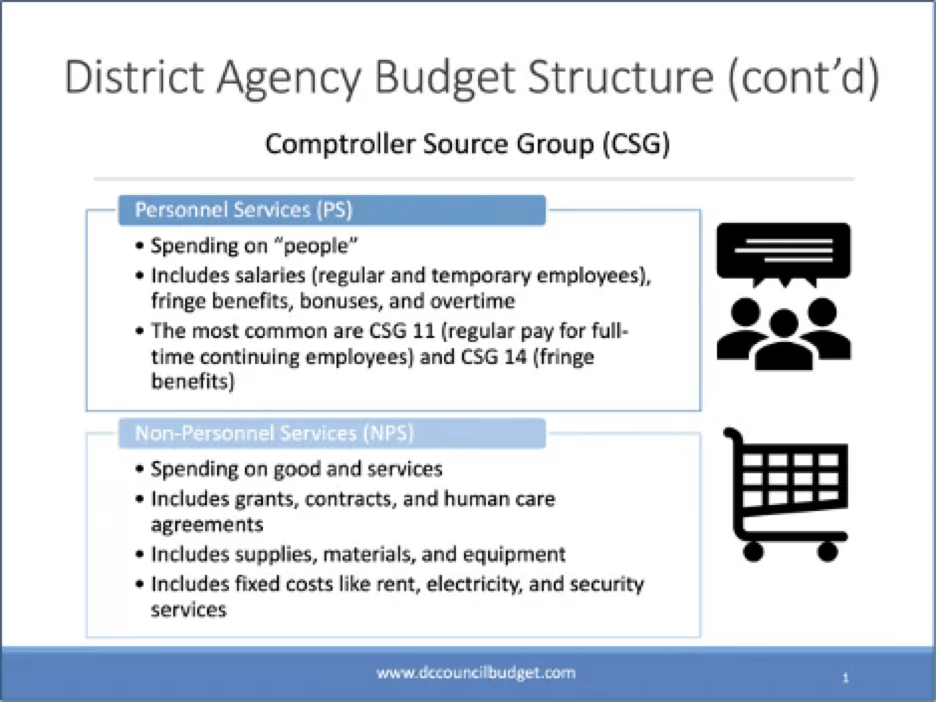
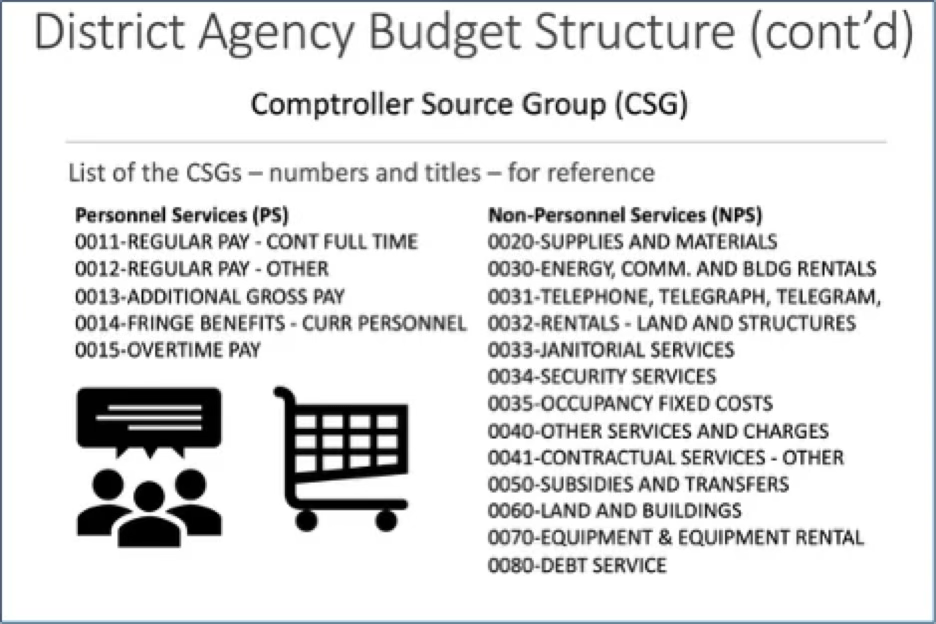
Controller Source Groups AKA Budget Categories. You don’t really need a Ouija board to figure out when a DC agency budget refers to its Controller Source Groups, but these may help:
Crime Stats. Want to know the latest on nefarious activities? Use Crime Cards. It’s MPD’s oddly named crime statistics portal with practically up-to-the-minute data on what’s happened where. Here’s a sample,
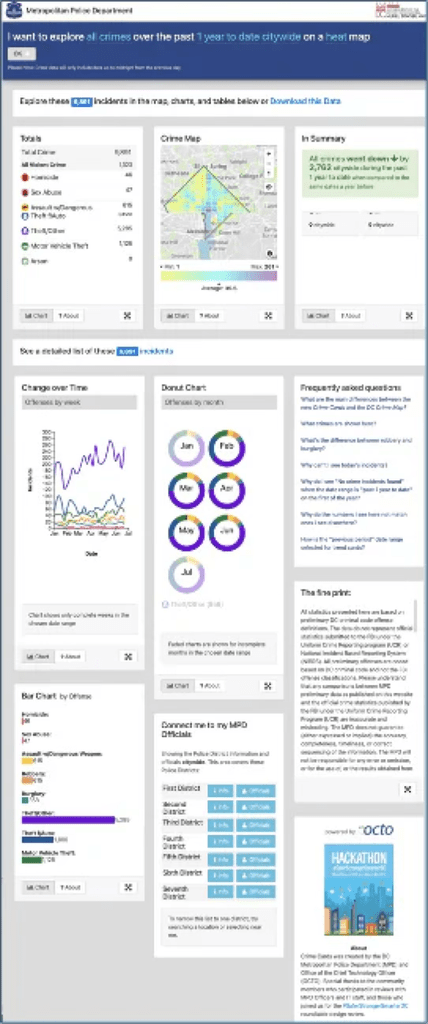
DC Agencies. Here’s a list of, I hope, all DC agencies. This list is part of the Open Data DC project. If it’s a bit much, you can download it in CSV form.
DC Code. The Council’s website has a link to the DC Code, which is well done. It’s pretty easy to find a topic, and the codifier has done a fine job of giving you background information. Its search engine, however, has a notable bug. Putting a phrase in quotes doesn’t work as you’d expect. Instead of showing the quote, it shows you everywhere the words in the phrase appear. So, if you search for “police chief,” you get everything that has the phrase plus this,
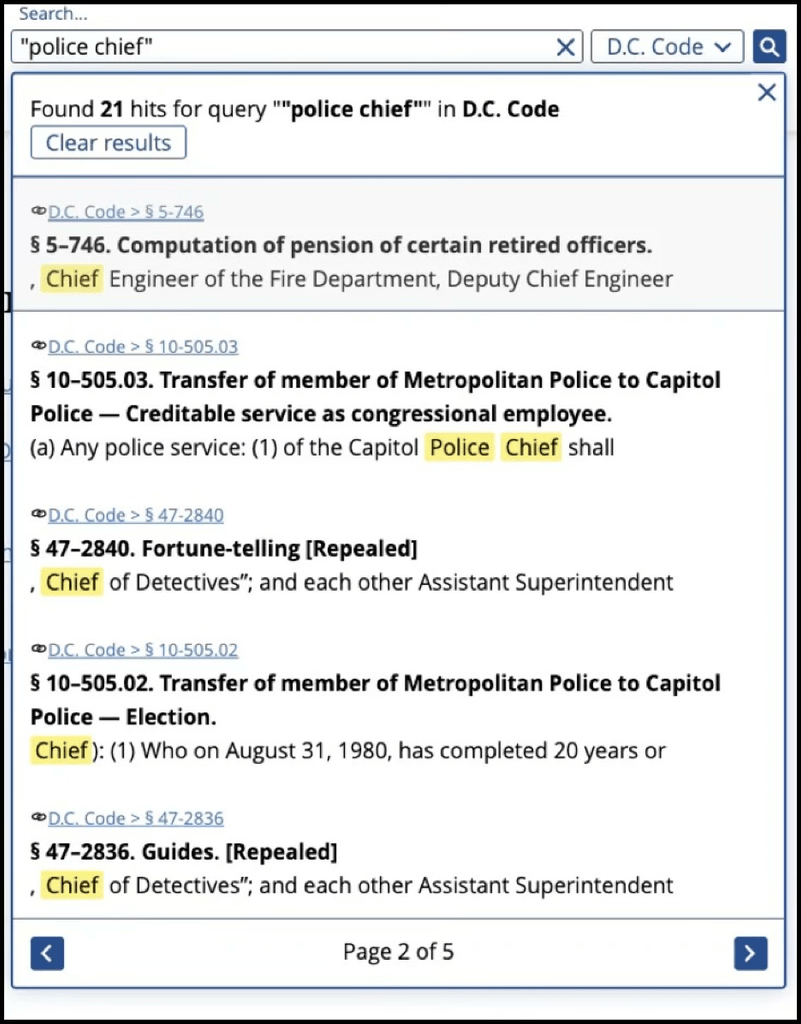
The workaround for this is a Google Site Search like this: “police chief” site:code.dccouncil.gov.
Department Heads. Having a hard time with a department? Call the boss here. Click a header like Last Name to get an A-Z list. You can download this list, too. You can send a question to the agency director on this list, but I don’t know if you’ll get an answer.
The Lab. Buried in a Deputy Mayor’s office, The Lab does interesting studies on a host of topics. Worth a look.
Grants. Despite Elon Musk’s great efforts, the Federal Government still makes grants to state and local governments. Want to know just what DC gets and from whom? So does the City Administrator, Kevin Donahue. Last November, his FY2026 Performance Plan had this project
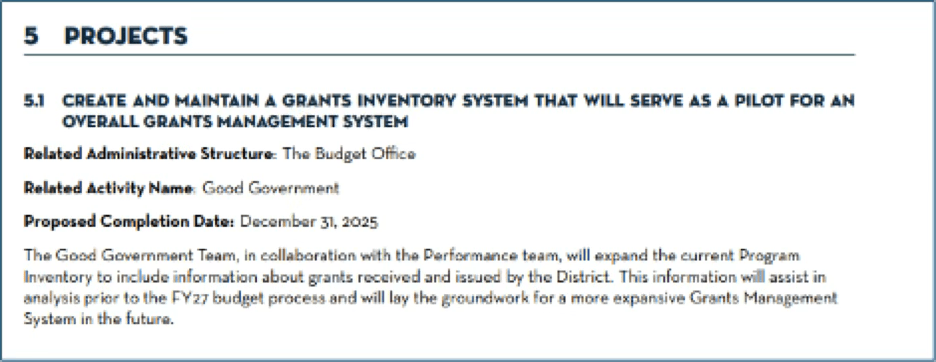
Unfortunately, the April 2026 FY2027 Performance Plan is mum on the project. In fact, it’s mum on any and all projects. Previous Plans had a section on projects, but this year they’ve disappeared.
If you’ve got a yen to know more about grants, you might be interested in the Grants Management webpage and the CA’s Grants Manual. There’s also the City Administrator’s Citywide Grants Manual and Sourcebook, which agencies will refer to, but it’s not available to mere mortals. There’s also a Grants Management Division Conference, but it’s also closed.
Laws. The Council publishes the DC Code, which is nicely done.
Laws That Ain’t. The Council’s job is to pass legislation to improve DC’s lot. Sometimes its ambitions get ahead of its wherewithal. That happens when it passes laws but fails to fund them. It does that a lot. Keeping track of what’s a law and what pretends to be a law takes effort. Each quarter, the Council’s Budget Office puts out a report on what’s not and why.
People. The District used to publish an alphabetical list of its employees and their salaries. Alas, that stopped about five years ago.
Performance Plans. Mayoral agencies must show how they are functioning for the public. Each year, they have to give detailed reports on their benchmarks and their plans for the next year. Each agency’s budget used to show these plans, but they were dropped a few years ago. If you’re curious, you can find the reports and plans on the City Administrator’s website. No fair noting how they change or don’t change year to year.